
Prevent Printable Sharing for Craft Sellers Without Hurting Sales

You cannot make a printable impossible to copy, but you can stop most casual sharing. Deliver files through expiring, gated links, stamp each copy with the buyer’s order details, put licence terms in front of every buyer before checkout, and run a quick weekly search for leaks. That combination catches the majority of unauthorised sharing without turning honest customers into suspects.
TL;DR:
- Expiring, signed download links, combined with storing files outside the web root and HTTPS encryption, effectively limit casual sharing of printables.
- Watermarking with visible stamps and invisible metadata helps trace leaks without harming the buyer experience, outperforming heavy DRM in most cases.
- Clear, upfront license terms on product pages, checkboxes, and inside files, along with buyer education, significantly reduce unintentional redistributions.
- Regular leak searches using reverse image searches, phrase alerts, and marketplace monitoring enable quick detection, documentation, and escalation of infringements.
- Technical controls like PDF permissions and account-based access are supplementary and should be paired with clear licensing and delivery measures for best protection results.
Table of Contents
- Why a layered defence works: deter, detect, enforce
- How to implement gated delivery and download controls
- Watermarking and metadata: trace leaks without damaging the buyer experience
- Write clear licence terms and require buyer acceptance
- Detect leaks and escalate: the enforcement ladder for small sellers
- User-experience trade-offs and a small-seller checklist
- Why Craftsuprint and Rob’s seller-focused guidance matter
- Integration of print tracking and logging to monitor file usage
- Best practices for educating buyers about responsible use and sharing restrictions
- Technical methods for restricting print functionality at the file level
- Use of password protection and user authentication to control access to printables
- Editorial take: what actually moves the needle here
- Where to go next for protecting your Craftsuprint listings
- Sources
- FAQ
Why a layered defence works: deter, detect, enforce
Trying to build one perfect lock is the wrong instinct. A practical strategy for file sharing protection measures stacks three separate jobs, each catching what the last one missed.
Deter means making casual sharing awkward rather than impossible: gated links, watermarks, licence text. Detect means finding leaks quickly through searches and alerts. Enforce means acting fast once you find one, through a marketplace report, a DMCA notice, or a host takedown.
Most casual piracy does not come from determined thieves cracking your encryption. It comes from a permanent download URL forwarded in a group chat, or an unwatermarked PDF that could have come from anyone. Shopify’s guidance on securing downloadable content points to exactly this combination, gated delivery plus per-buyer stamping, as the most effective low-friction fix.
For a seller with a small catalogue and a limited budget, the order of priority is straightforward:
- Fix delivery first (expiring links cost nothing extra on most platforms)
- Add lightweight stamping to your bestsellers before anything else
- Write your licence once and reuse it everywhere
- Save DRM software and encryption for the rare high-value exception
Get those four right and you have covered most of what causes unauthorised printing and casual redistribution.
How to implement gated delivery and download controls
A permanent download link is the single biggest reason printables end up shared. Once a buyer has a static URL, it works forever for anyone who has it, including a friend, a Facebook group, or a filesharing forum. Fixing this is mostly a configuration job, not a coding project.
- Replace static links with signed, expiring URLs. Set expiry to somewhere between 24 hours and a few days, and cap downloads at a few attempts.
- Store your source files outside the public web root. If your files sit somewhere a search engine could theoretically index a direct path, they are not protected, regardless of the link you show customers.
- Serve everything over HTTPS and, if you self-host, add
.htaccessdirectory protections so folders cannot be browsed directly. - Deliver through an account area rather than email attachments alone. A logged-in buyer area gives you a second layer of access control and a record of who downloaded what.
- If you use a delivery plugin or marketplace tool, check whether it supports expiring tokens natively; most modern e-commerce platforms do.
This approach matches what Shopify’s own security research recommends for reducing damage from casual sharing: expiring links, download caps, private directories, and HTTPS together.
Pro Tip: Set your download cap to five, not one. Buyers genuinely lose files, switch devices, or need to reprint, and a cap of one turns a loyal customer into a support ticket.
Hand a developer this exact checklist: signed URL generation, expiry window, download counter, webroot exclusion, HTTPS enforcement. Every item is achievable on a modest hosting budget.
Watermarking and metadata: trace leaks without damaging the buyer experience
Watermarking does two different jobs, and confusing them causes most of the frustration sellers report. A visible stamp (a faint order ID or buyer name printed onto the design) deters casual reposting because nobody wants to share a file with someone else’s name on it. Invisible metadata embedded inside the file does not deter anything, but it lets you prove which purchase a leaked file traces back to.
Use both, but for different reasons:
- Visible stamps go in a discreet corner or along a border, small enough not to spoil the printable but present enough to be noticed.
- Invisible metadata goes into the document properties of a PDF, or the metadata fields of an SVG or PNG, using a tool like ExifTool or the export settings of your design software.
- Automate the stamping at the point of sale so you are not manually editing files for every order.
Industry guidance on protecting digital products from piracy is consistent on one point: watermarking and traceability outperform heavy DRM for most templates and printables, because DRM often breaks printing on some devices and generates refund requests.
Pro Tip: Reserve full encryption or licence-key systems for genuinely high-value files, a full kit worth £30 or more, rather than a £2 single design. The support cost of DRM rarely justifies itself on low-ticket items.
This is the practical case for social DRM over hard DRM on most craft downloads, covered in more detail when weighing file formats and their protection needs.
Write clear licence terms and require buyer acceptance
A licence that nobody reads protects nobody. In the UK, copyright exists automatically the moment you create an original design, but that legal fact does nothing on its own if a buyer genuinely did not know redistribution was prohibited. Gov confirms that clear, upfront communication is what makes a licence practically enforceable, not the underlying legal right itself.
Your licence should cover:
- What the buyer is permitted to do (personal use, small commercial runs, craft fair sales)
- An explicit prohibition on redistributing the file itself, in any form
- Whether resale or PLR (private label rights) terms apply, and under what conditions
- Whether attribution is required for any public or commercial use
Put this text in three places: on the product page before checkout, on a mandatory checkbox at the point of purchase, and inside the delivered file itself, ideally on the first page or as a footer. Legal guidance on selling digital products recommends plain language over legal jargon, since a buyer who actually understands the terms is less likely to breach them by accident.
Keep a record. Store the exact licence text shown, plus a timestamp, against every order. If a dispute ever arises, that record is what proves what the buyer agreed to, not what your current licence page happens to say. Sellers building this into checkout can borrow structure from existing licensing clause examples for small sellers.
Detect leaks and escalate: the enforcement ladder for small sellers
Finding a leak fast matters more than finding every leak. Set a recurring 15-minute slot, weekly is enough for most catalogues, and run these checks:
- Reverse-image search your best-selling designs.
- Search quoted phrases from your product titles or licence text in quotation marks.
- Set up a Google Alert for your shop name and your most distinctive product names.
- Sweep major marketplaces and, where relevant, check Telegram and Discord groups known for sharing craft files.
When you find something, document it before you act: a dated screenshot, the URL, an archive.org snapshot, and the watermark or order ID if visible. This evidence is what makes a takedown request credible rather than a bare accusation.
Then escalate in order, not all at once:
- Report through the marketplace’s own IP infringement tool first; this is usually fastest.
- If that fails or there is no marketplace to report to, send a formal DMCA notice to the host. DMCA Masters’ escalation guidance recommends including the original work’s URL, the infringing URL, a statement of good faith, and your contact details.
- If the host is unresponsive, escalate to search-engine delisting and filehost takedown requests.
This ladder, documented in detail by Resell Ready, gives small sellers a realistic path without needing a lawyer for every incident.
User-experience trade-offs and a small-seller checklist
Every protection measure trades off against buyer convenience, and getting that balance wrong costs you more than the piracy does. Social DRM, watermarking plus gated links, is right for the vast majority of printables because it barely touches the buying experience. Heavier DRM or licence-key systems only earn their keep on premium kits where the price justifies the support overhead of buyers who cannot print because a key server timed out.
Run this checklist this week:
- Switch permanent links to gated, expiring ones
- Set a download cap of three to five
- Add automated per-buyer stamping to your top ten sellers
- Put licence terms at checkout and inside every file
- Block out 15 minutes weekly for leak searches
Watch for these signals: a sudden spike in downloads with no matching sales, the same order ID surfacing on multiple unrelated devices, or a design appearing on a group site within days of release. Any one of these is worth investigating immediately, as covered further in the community versus protection trade-offs many sellers wrestle with.
Why Craftsuprint and Rob’s seller-focused guidance matter
Craftsuprint operates as a specialised marketplace built around printable craft downloads, card making kits, and paper patterns, with independent designers selling directly to hobby crafters. That context shapes the advice above: it is written for people running a real catalogue on a real platform, not a hypothetical enterprise with a dedicated legal team.
Rob’s related work on pattern sharing norms and commercial-use licence checks covers the same territory from different angles, checkout clarity, buyer expectations, and what “sharing” actually means in a craft context. The guidance here maps directly onto a typical seller’s existing workflow: product listing, checkout, delivery, and support, rather than assuming infrastructure most small designers do not have.
Integration of print tracking and logging to monitor file usage
Watermarking tells you which order a leaked file came from. Logging tells you it leaked in the first place, often before a customer complaint or a forum post does.
At minimum, log every download event against the order ID, the timestamp, and the IP address or device fingerprint if your platform supports it. This does not require anything exotic. Most e-commerce and delivery plugins already log downloads for billing and support purposes; the change is simply reviewing those logs with piracy in mind rather than ignoring them until a refund dispute forces you to look.
Two patterns are worth flagging manually or through a simple automated rule:
- A single order downloading far more than your cap allows, which suggests the link itself has been shared rather than reused by the original buyer.
- The same file being downloaded from wildly different geographic locations in a short window, a common sign that a gated link has ended up in a group chat or forum post.
None of this needs dedicated print-tracking software for most small catalogues. A spreadsheet export from your delivery system, checked monthly against your top sellers, catches the obvious outliers. Where you sell higher-value kits, a simple dashboard showing downloads per order over time is worth setting up, because a spike there is one of the earliest and most reliable signals that a file has escaped its original buyer. Treat the logs as an early-warning system, not an archive you check only after something has already gone wrong.
Best practices for educating buyers about responsible use and sharing restrictions
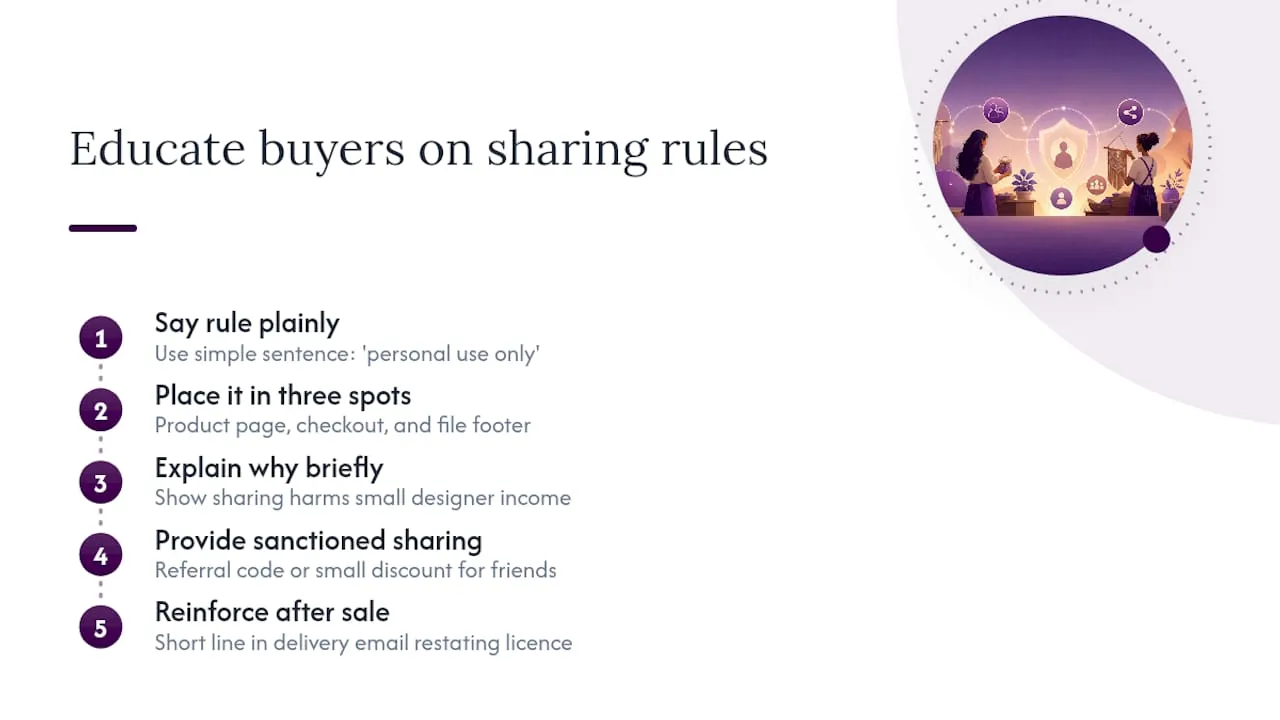
Most unauthorised sharing is not malicious. A buyer genuinely does not realise that forwarding a PDF to a friend “just this once” breaches a licence they skimmed past at checkout. Education closes that gap far more cheaply than enforcement does.
Say the rule in plain terms, not legal phrasing. “This file is for your personal use only, please don’t share the download link or file with anyone else” does more work than a paragraph of licensing clauses most buyers will not read closely. Put that sentence in three places: the product description, the checkout confirmation, and a footer on the delivered file itself.
Explain the why, briefly. Buyers who understand that sharing directly affects a small designer’s income, rather than a faceless corporation’s, are measurably more likely to respect the request. This is a genuine advantage small sellers have over large publishers, and it is worth using in your product descriptions and thank-you emails.
Make the right behaviour easy. If a buyer wants to share a design with a friend, give them an obvious, sanctioned way to do it, a referral discount code, or a note that friends are welcome to buy their own copy at a small saving. That channel absorbs a good portion of the sharing that would otherwise happen anyway, quietly, through a forwarded file.
Reinforce it after the sale, not just at checkout. A short line in your delivery email restating the licence terms costs nothing and catches the buyers who skipped the checkout text entirely.
Technical methods for restricting print functionality at the file level
PDF permissions settings let you restrict specific actions, printing, copying text, editing, without a password on the file itself. This is the lightest-touch technical control available and worth applying to every PDF you sell.
Most design software and PDF export tools, including Adobe Acrobat and many print-on-demand platforms, offer permission flags at export. You can typically restrict high-resolution printing while allowing low-resolution printing, disable text copying and extraction, and lock document assembly so pages cannot be reordered or extracted into a new file.
These settings are genuinely useful for one narrow purpose: stopping a buyer from easily lifting your artwork out of a PDF to reuse it elsewhere, or blocking commercial-grade printing of a file licensed only for personal use. They do very little against determined sharing, because the file itself still opens and displays normally; a screenshot defeats a copy restriction instantly.
Treat PDF permissions as a supplementary layer, not your main defence. They sit comfortably alongside watermarking and gated delivery, adding friction at essentially no cost to you, but they should never be the only control you rely on. A buyer who wants to share the file still can, they simply cannot lift the vector artwork out cleanly, which is often enough to discourage casual reuse of your designs in someone else’s project.
Use of password protection and user authentication to control access to printables
Password-protecting the file itself, requiring a password to open the PDF, is different from password-protecting the delivery of the file, and conflating the two is a common mistake. File-level passwords frustrate genuine buyers who lose or forget them, generating support tickets that often outweigh any protective benefit for a low-price printable.
Account-based authentication is the better control for most sellers. Requiring a buyer to log in to a customer account before accessing their download gives you a proper audit trail, who downloaded what, and when, without adding a password buyers have to remember for every individual file. This is the same principle behind gated, expiring links: control access at the delivery layer, not inside the file.
Reserve file-level password protection for specific cases where it earns its cost: a premium kit sold at a price point where support overhead is acceptable, or a file distributed to a small group, a class or workshop, where password sharing is easy to spot and control. For a typical £2 to £10 printable sold at volume, account authentication plus gated delivery covers the access-control job without the support burden a forgotten file password creates.
Editorial take: what actually moves the needle here
The conventional advice on this topic leans too hard on technology and not hard enough on friction economics. Sellers hear “protect your files” and reach straight for encryption or licence-key software, when the research consistently points the other way: watermarking and traceability outperform heavy DRM for most templates, precisely because DRM breaks something for a real buyer often enough to generate refunds that cost more than the piracy ever did.
What is genuinely underrated is the licence text itself. Sellers treat it as boilerplate to paste in once and forget, but a plain-language line at checkout does more to stop accidental sharing, which is the majority of it, than any technical control ever will. Deliberate piracy needs enforcement. Accidental sharing just needs clarity.
If you take one thing from this: fix delivery and licence wording before you spend a single hour on watermark automation or DRM software. Those two changes cost nothing, apply to your whole catalogue immediately, and stop more leaks than anything downstream of them ever will.
— Rob
Where to go next for protecting your Craftsuprint listings
An independent designer marketplace built specifically for printable craft downloads exists that includes delivery, checkout, and licensing groundwork suitable for this kind of product.
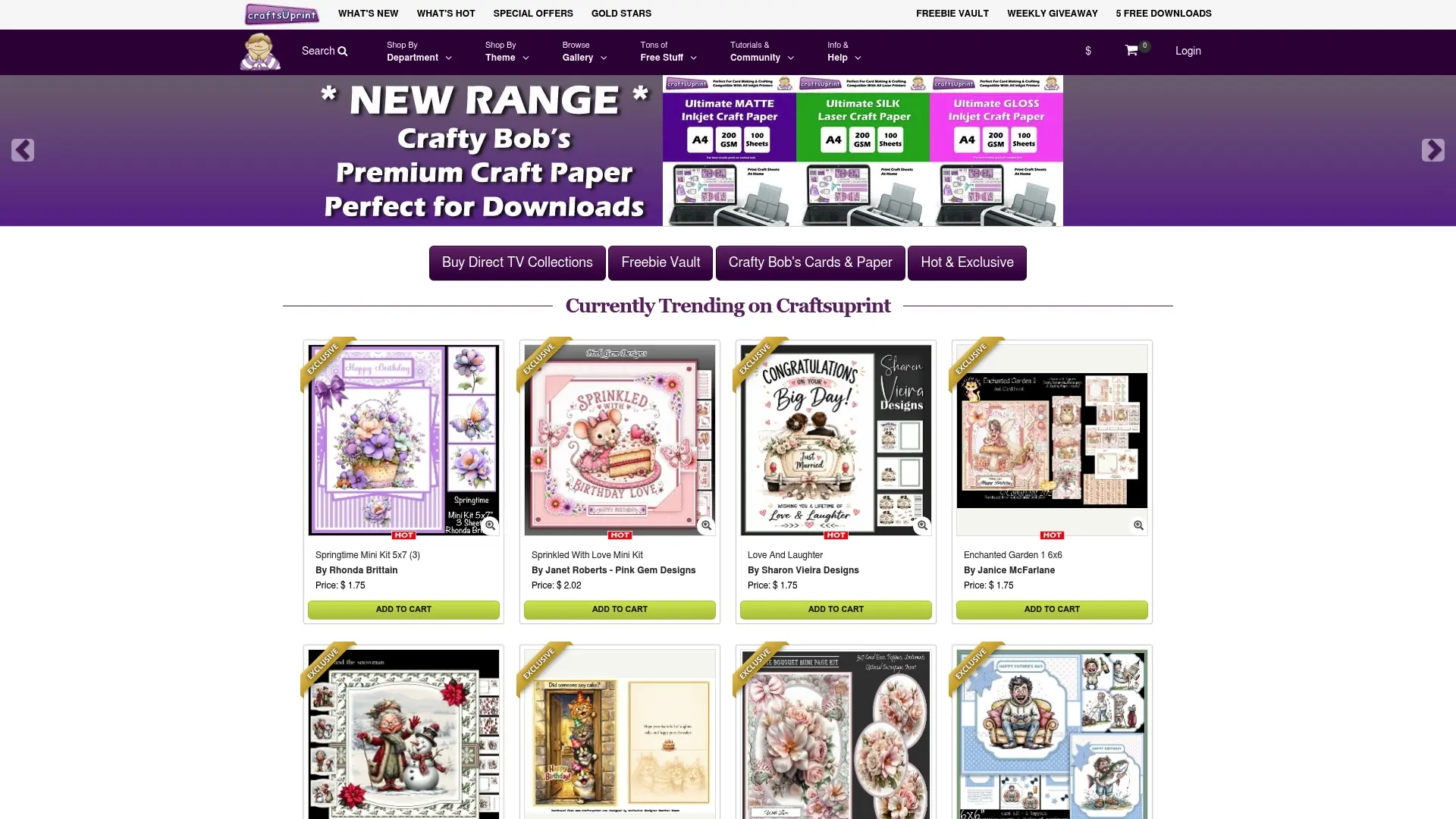
If you are setting up a new printable, the Create & Craft Downloads pages show how digital products appear to buyers and what listing information you can control. Selling through an established marketplace also means you are not building gated delivery and download logging from scratch; this groundwork is often part of how such platforms handle digital sales. Have a look at the Create & Craft downloads area to see how your next printable could be listed, priced, and delivered.
Sources
- How securing downloadable content works: best practices (Shopify)
- Gov
- How to protect digital products from piracy (Resell Ready)
- How to protect digital products from piracy | DMCA Masters
- Selling digital products: legal (Sprintlaw)
FAQ
Can you fully stop a printable from being shared?
No. No technical measure makes a digital file impossible to copy, but expiring links, watermarking, and clear licence terms stop the majority of casual, unintentional sharing.
Is watermarking better than DRM for printables?
For most craft downloads, yes. Industry guidance shows watermarking and traceability outperform heavy DRM, which often frustrates genuine buyers without meaningfully stopping determined piracy.
What should a printable licence include?
Permitted uses, an explicit ban on redistributing the file, resale or PLR terms if applicable, and attribution requirements, shown at checkout and inside the delivered file.
What is the first step in enforcing a takedown?
Report through the marketplace’s own IP infringement tool first, since documented enforcement ladders show this is usually faster than a direct DMCA notice to the host.
Do I need a lawyer to protect my printables?
Not for routine leaks; a marketplace report or DMCA notice usually resolves them. Persistent commercial infringement, someone reselling your designs at scale, is where consulting a lawyer becomes worthwhile.