
Crafters: One Card or 50? Choose Mini vs Mega Kits to Save Time
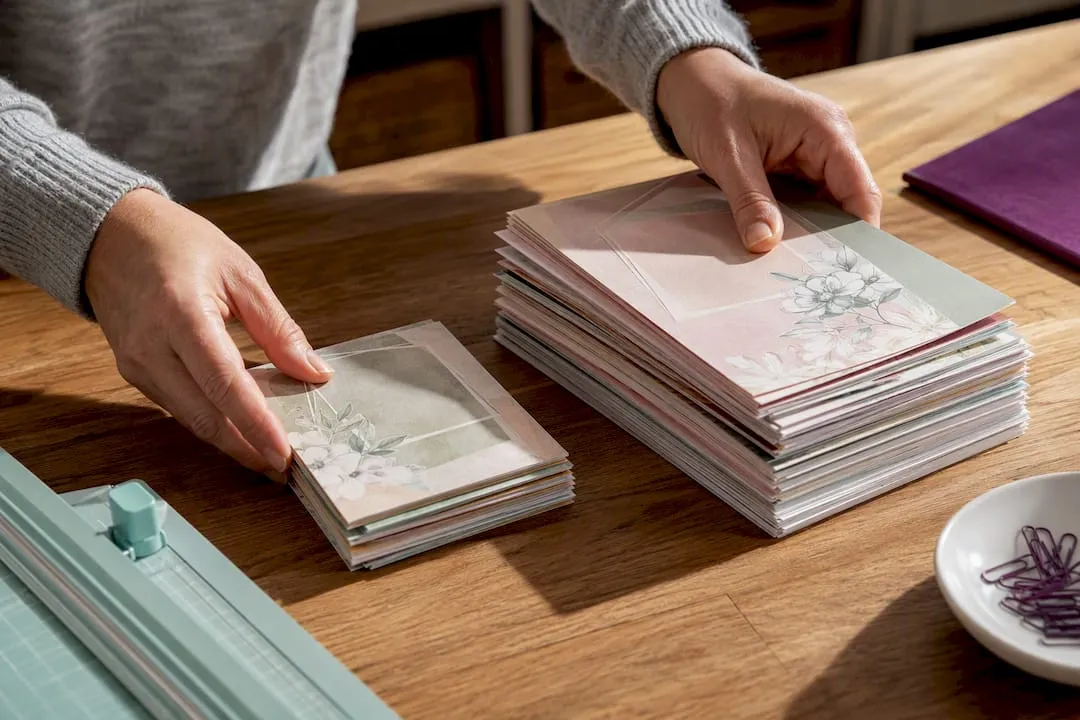
Mini kits win when you need one great card fast; mega kits win when you’re building a library you’ll reuse for months. The real question isn’t which format is “better” but what you’re actually trying to do: finish tonight’s birthday card, or stock a whole year of card-making with fewer purchases. Both are digital downloads, so you’ll still need a printer, cardstock and basic finishing tools either way.
TL;DR:
- Mini kits are ideal for quick, one-off projects with minimal design choices and no need for editing, making them budget-friendly and easy to manage.
- Mega bundles provide multiple coordinated designs with editable layers, suitable for frequent use, long-term projects, and sellers needing consistent branding.
- Proper organization, quality previews, and clear file descriptions are essential for managing large bundles and avoiding digital clutter.
- Buyers should consider their project volume, editing needs, and software compatibility before choosing between mini kits and mega bundles.
- Regularly updated bundles may include new content, but their value depends on current inclusion and clarity of organization, especially for layered files.
Table of Contents
- Mini vs mega kits: pros and cons at a glance
- Who should pick a mini kit and who should pick a mega bundle
- Getting good results: printer settings and materials that matter
- A short checklist before you buy either format
- Real examples: mini kit versus mega bundle in practice
- Keeping a mega bundle from becoming digital clutter
- How often do mini and mega kits get updated?
- Will a mini or mega kit work with your software?
- What separates a good listing from a guessing game
- Find your next mini kit or bundle on Craftsuprint
- Sources
- FAQ
Mini vs mega kits: pros and cons at a glance
Buyer intent decides this before price or design quality even enters the conversation. If you want speed and a ready-to-print outcome, small products fit better than bundles; if you want customisation and long-term flexibility, a mega bundle earns its higher price tag.
Mini kits:
- Cheaper upfront and quick to download, unzip and print
- Clear, single-purpose design with little decision-making needed
- Fewer files to manage, ideal for a one-off card or gift tag
- Less variety if you need multiple styles for the same occasion
Mega bundles:
- Higher price, but often includes editable layers, multiple sheet sizes and coordinating designs
- Saves money across many projects compared with buying several mini kits separately
- Steeper learning curve if the files use software you haven’t touched before
- Needs proper folder organisation or it becomes a digital junk drawer
The pricing logic is straightforward once you see it: a mega bundle costs more because it’s doing the job of ten or twenty mini kits, plus giving you editable assets that don’t expire. Documentation shifts too. A mini kit only needs a simple one-page instruction sheet, but a decent bundle needs a quick-start guide and sensible folders, otherwise buyers drown in files they can’t locate.
Who should pick a mini kit and who should pick a mega bundle
Match your habits to the format, not the other way round. Here’s how five common crafter types tend to split:
- Beginners want low risk and fast wins. A single mini kit for one occasion, like a birthday, lets you learn cutting and layering without twenty design choices competing for attention.
- Time-pressed makers need speed over selection. Grab a mini kit that matches the exact occasion coming up this week rather than browsing a bundle for the “perfect” match.
- Occasional gifters who make three or four cards a year rarely recoup the cost of a mega bundle. Stick with mini kits bought as needed.
- Craft-fair sellers making batches of similar cards benefit from a mega bundle’s coordinating papers and repeat-use assets, spreading one purchase across dozens of finished pieces.
- Digital-product sellers reworking designs into new formats need editable files, which almost always means a mega bundle with layered PSD or Canva-ready assets.
Ask yourself three quick questions: Am I making one card or fifty? Do I need to edit text and colours, or just print as-is? Will I use this design again next month? Two or more “yes” answers pointing towards reuse means a bundle is worth it.
Getting good results: printer settings and materials that matter
Most kit designers format artwork for standard A4 or US Letter, and recommend heavy cardstock in the 65 to 110 lb range for a professional finish. You don’t need specialist gear, though. Ordinary printers handle these files fine, and simple mounting techniques let you use copy paper as a workaround if cardstock isn’t to hand, double-mounting onto card for extra rigidity.
- Set your printer to 100% or “actual size”, never “fit to page”, to keep every measurement correct
- Print a test page on scrap paper before committing premium cardstock
- Use bubble cutting, leaving a thin white border, for cleaner hand-cutting around detailed shapes
- Add foam tape under key elements for dimension and shadow
- Check the file format supplied, whether PDF, PSD or Canva-editable, matches software you actually own
Craftsuprint’s own guide on resizing printables correctly covers exactly this scale issue, and the wider printer settings guide is worth bookmarking if you print regularly.
Pro Tip: Keep one sheet of scrap cardstock permanently by the printer. It costs nothing and saves you from wasting a £3 sheet of premium card on a scale mistake.
A short checklist before you buy either format
Start with one question: are you solving for a single project, or building a reusable library? That answer filters almost everything else.
- File types: do you have software that opens what’s included (PDF is universal, PSD and Canva need specific accounts)?
- Preview images: can you see actual finished samples, not just mock-ups?
- What’s included: is there a clear list of sheet counts, sizes and any ephemera or extras?
- Print sizes: does the listing state A4 or US Letter clearly?
- Quick-start guide: for bundles especially, is there a “start here” document?
- Licensing clarity: does it say what you can and can’t do with the finished cards, particularly if you sell?
Red flags worth walking away from: no preview images at all, no readme or instructions, vague file-format descriptions, or a mega bundle with dozens of files and zero folder structure. A simple pricing rule helps here too: weigh the cost against how many usable designs you’ll actually finish, plus the time saved not hunting for separate kits later.
Real examples: mini kit versus mega bundle in practice
- The birthday card: one mini kit, one evening, one finished card. Total materials cost stays under a few pounds in cardstock and adhesive, and there’s no decision fatigue over which of forty background papers to use.
- The Christmas stall batch: a seller preparing sixty cards for a craft fair uses a mega bundle’s coordinating sheets to keep a consistent look across the whole table, cutting design-hunting time from hours to minutes per card.
- The repurposing project: a bundle bought for cards gets reused as scrapbook backgrounds or turned into personalised photo album covers, stretching one purchase across several craft categories.
- The small-business seller: anyone printing-on-demand or reselling finished cards should lean towards mega bundles, since digital downloads offer infinite reproduction that a single mini kit’s licence may not cover at scale.
One well-organised bundle can genuinely produce four or five distinct card styles just by varying layout and paper choice, which is exactly the reuse value that justifies the higher price tag.
Keeping a mega bundle from becoming digital clutter
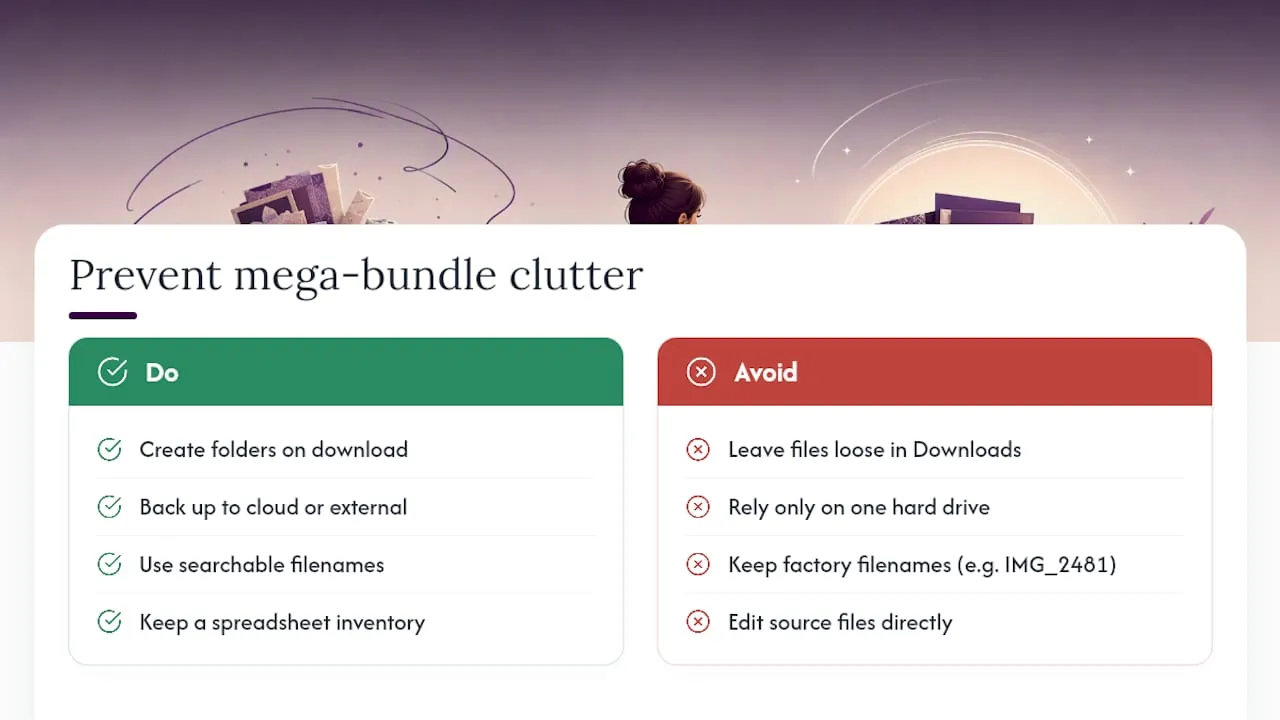
A 200MB bundle with three hundred files is only useful if you can find what you need in under a minute. Create a folder structure the moment you download: separate folders for background papers, sentiments, die-cut elements and finished-project photos, rather than leaving everything loose in “Downloads”.
Back up bundles somewhere other than your hard drive. Cloud storage or an external drive matters more here than with mini kits, since redownloading a single small file is no hardship, but losing a 400-page bundle to a corrupted drive is a genuine setback. Rename files with something searchable (“floral_border_blue”) rather than keeping factory filenames like “IMG_2481”, which turn a big bundle into a scrolling guessing game six months later.
If you’re using layered PSD files, keep working copies separate from originals. Edit a duplicate, never the source file, so a botched edit doesn’t cost you the whole asset. For frequent bundle buyers, a simple spreadsheet listing what each bundle contains and where it’s stored saves far more time than it costs to set up, especially once you own more than four or five large bundles.
How often do mini and mega kits get updated?
Mini kits tend to be static: buy once, and that’s the finished product, with maybe an occasional bug-fix reupload if a file was faulty. Mega bundles behave differently. Designers sometimes add bonus sheets or seasonal extras to an existing bundle months after the original release, particularly around Christmas or Valentine’s Day themes.
Check listings periodically if you’ve bought a bundle before, since added content usually appears without extra charge for existing buyers. That said, don’t expect guaranteed ongoing updates. Treat any bundle’s contents as fixed at the point of purchase unless the listing explicitly states otherwise, and judge value on what’s actually included today rather than what might arrive later.
Will a mini or mega kit work with your software?
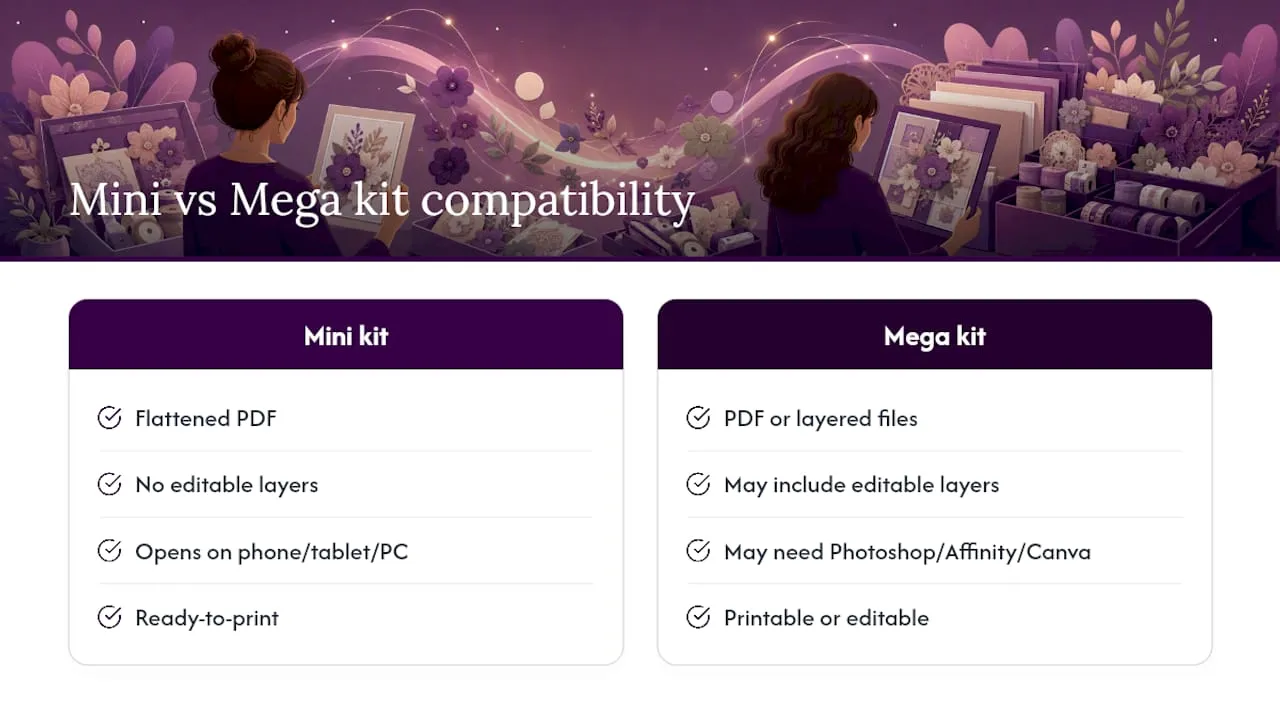
Most mini kits ship as ready-to-print PDFs, which open on virtually anything, a phone, a tablet, any printer driver, no design software required. That’s part of their appeal: zero compatibility headaches.
Mega bundles vary more. Some are pure PDF collections, just as simple as mini kits but larger in scope. Others include layered PSD files for Photoshop or Canva-ready templates for browser-based editing, which means you’ll need an account or software licence to unlock the editable side of things. Always check the file list before buying if you don’t already use Photoshop, Affinity or Canva regularly. A bundle stuffed with editable layers is wasted money if you’ll only ever print the flattened versions anyway. When in doubt, a listing that includes both a flattened PDF and an editable layered file gives you the most flexibility regardless of what software you own now.
What separates a good listing from a guessing game
The best listings tell you exactly what you’re buying before you pay. That means sample images showing the finished card, not just a flat lay of loose elements, plus a proper “what’s included” breakdown listing sheet counts and file types. Showing this detail upfront reduces buyer hesitation and cuts down on the “this isn’t what I expected” messages designers dread.
For mega bundles specifically, organisation is what turns a big file dump into something usable: folders, a start-here guide and sample images. Craftsuprint’s marketplace runs on independent designers, and the strongest listings on the site follow this pattern consistently: a preview image, a sample project photo, a readme covering print sizes, and clear folder naming inside the download itself. If a listing is missing any of those four things, treat it as a warning sign rather than an oversight.
— Rob
Find your next mini kit or bundle on Craftsuprint
This platform gives you both routes under one roof, so you’re not hunting across multiple sites to compare a quick mini kit against a proper bundle. Browse the Card Making category for single-project downloads, or head to Paper Craft for broader bundle collections with coordinating sheets and editable extras.
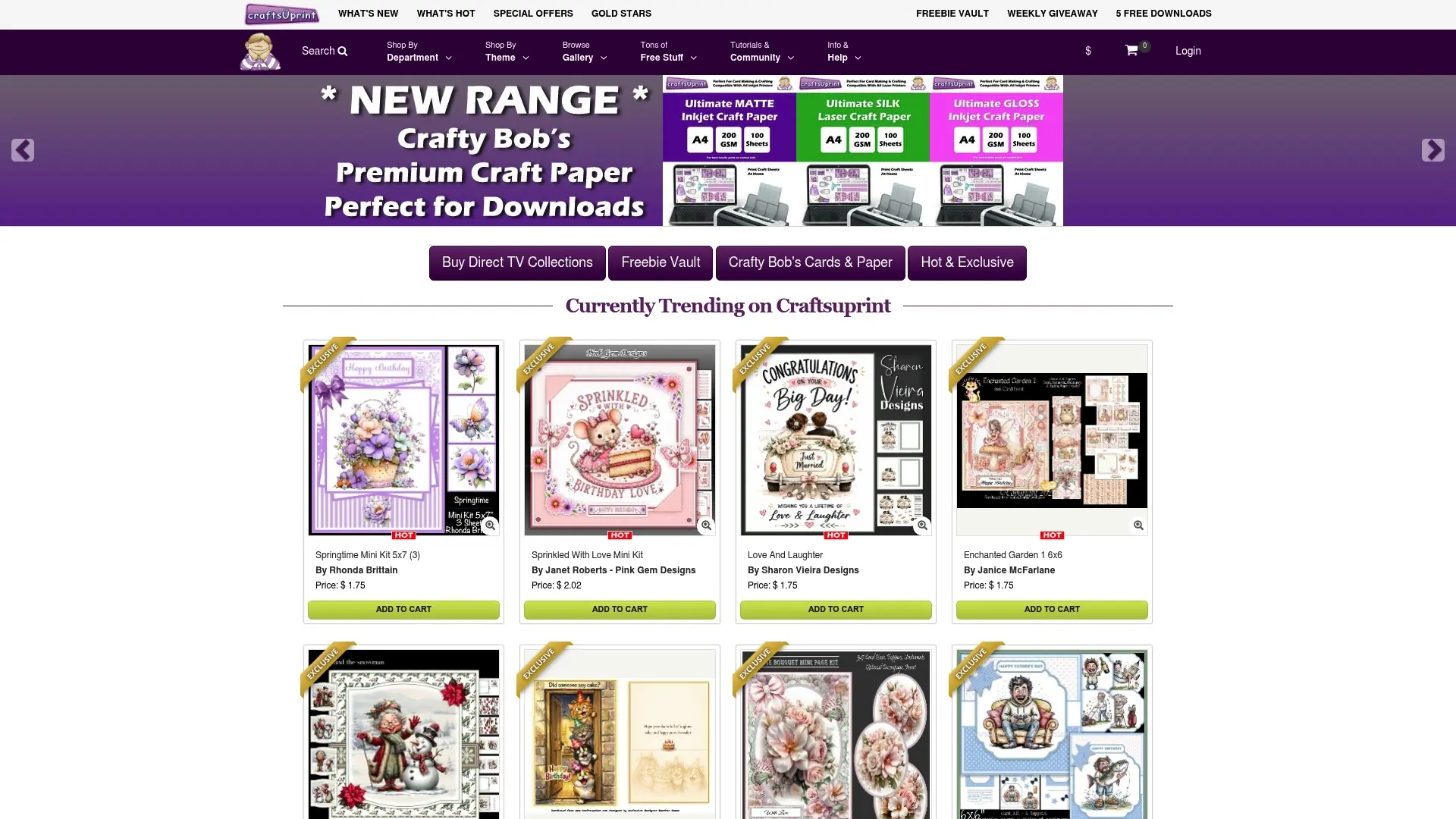
Look for the same signals discussed above on any product page: a “what’s included” preview, sample finished photos, and a printable read-me covering sizes and print settings. Good listings clearly show this information, so you know exactly what lands in your download folder before you pay. If you’re editing rather than just printing, check the Cutting Files section too, since several bundles pair nicely with die-cut files for a cleaner finish.
Start by filtering card making or paper craft categories by “kit” or “bundle” and comparing two or three listings side by side. Once you’ve matched a listing’s contents against your own checklist, you’ll know whether it’s the quick mini kit you need tonight or the reusable bundle worth the extra cost.
Sources
- LCI Paper – medium & specialty paper
- Andel Creative – Card making printables for beginners
- Lessoncraft Studio – Digital vs physical printables
FAQ
What’s the main difference between mini and mega kits?
Mini kits are small, single-purpose downloads for one project, while mega kits bundle dozens of coordinating designs, often with editable assets, aimed at repeat or advanced use.
Are mega bundles worth the higher price?
Yes, if you’ll use several of the included designs; a bundle that saves you from buying ten separate mini kits usually pays for itself, but it’s poor value for someone making one card a year.
Do I need special software for mega bundles?
Not always. Many bundles are pure PDF collections you can print straight away, though some include layered PSD or Canva files that need matching software to edit.
Does Craftsuprint sell both mini kits and mega bundles?
Yes, Craftsuprint’s Card Making and Paper Craft categories carry both formats, with previews and file details listed on each product page.