

Gardening 10 Large Clipart CollectionCompleted by Margaret McCartney
OccasionI inserted the base of the card into a Word document and resized to fit a 7 x 7 card.
I chose some of the other elements to also insert into this document.
When each element appears in the Word document it has a square outline around it with markers on each side and corner.
When this square is highlighted go to the top of the page and click on Picture Tools in the bar at the top.
Click on WrapText and choose ‘In front of text’.
You can now move the element around the screen and resize to suit where you want to place it. You can resize each element by clicking on one of the corner markers then dragging it inwards to resize to suit your needs.
There is a circle at one side of this element outside the square and this will allow you to turn the element to suit the direction where you want it to appear.
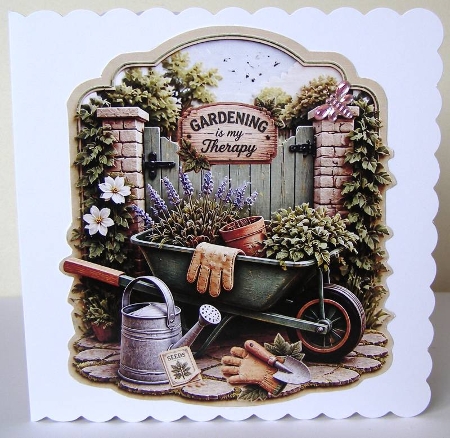
I added the greeting at the top of the gate plus the gloves and small spade and the seed packet with some seeds on the ground and placed this on the base picture.
I printed the design onto good quality 200gsm and cut it out.
I attached this to a 7 x 7 scalloped edged card using double sided tape. I also added a small shiny butterfly from my collection to the pillar the gate is attached too. It is a lovely card when finished and you can use the different elements on any background paper that you may have to make other cards.

Make your Own, Buy the Download!
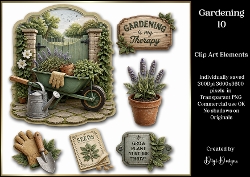
Gardening 10 Large Clipart Collection
This mini kit contains a Large PNG Topper with additional complimentart clipart relating to the design. Individually saved in PNG at 300 Dpi You are free to use my designs in your commercial product ... Read More